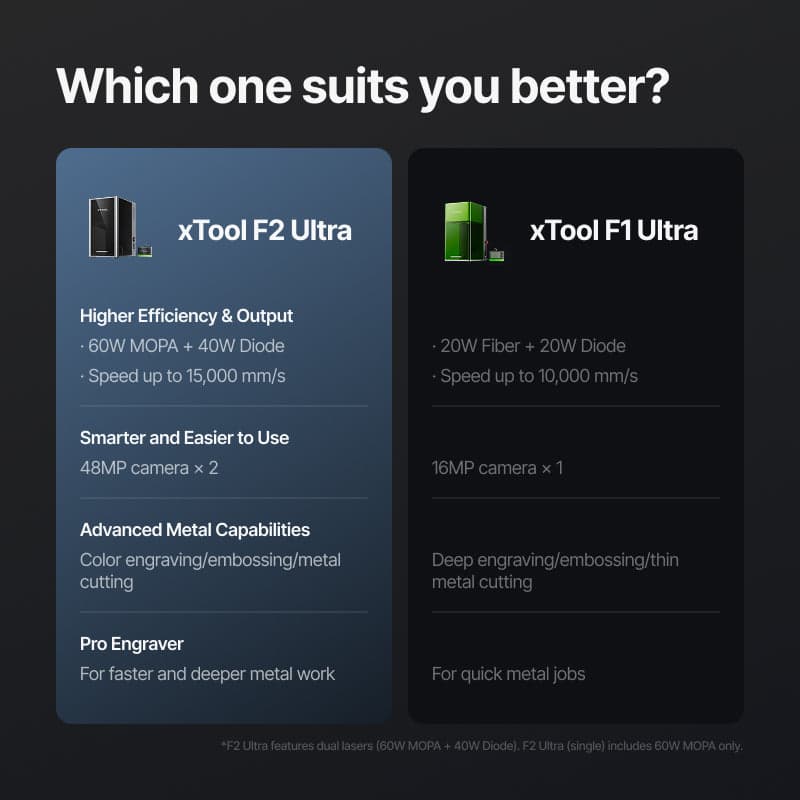
The F2 Ultra delivers 3x the power of the F1 Ultra with meaningful improvements. But here's my advice: Get the single laser version, not the dual. That extra $1,500 for a 40W diode without air assist is a waste—buy a dedicated cutting machine instead. For about $6,800, you could grab the single F2 and a separate 20W diode laser. That's only $300 more than the dual model, but you'd get air assist for cutting, a bigger work area on the diode, and you can run both machines at once.
High-speed metal marking for production work
MOPA enables black/white aluminum marking (impossible with standard fiber)
60W makes embossing dramatically faster than F1 Ultra's 20W
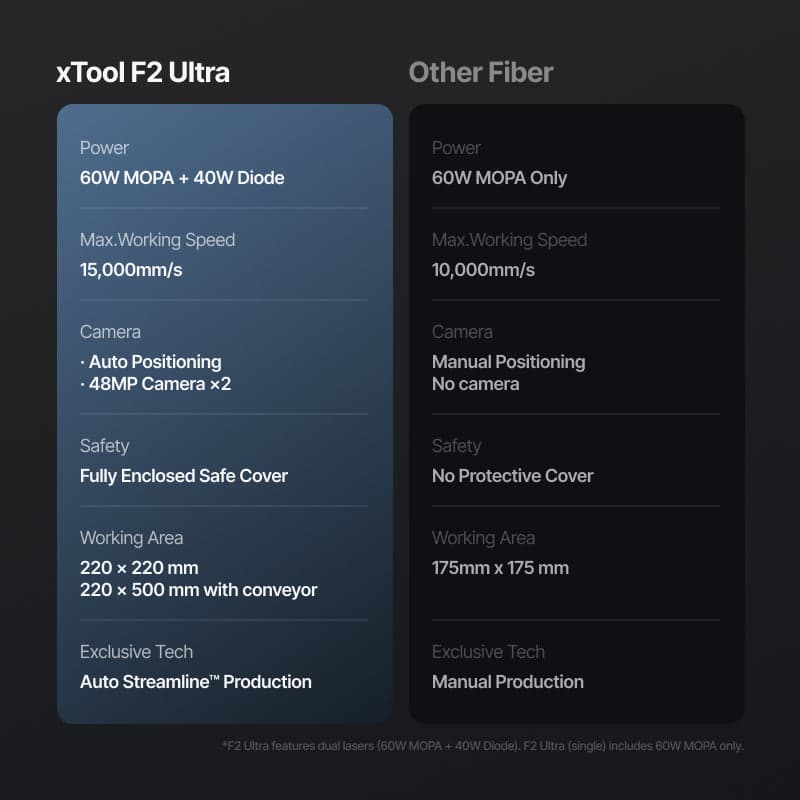
Dual 48MP stereo camera system is noticeably more accurate
Creative Space software is the most user-friendly fiber laser interface
Removable fan cover makes brass embossing cleanup much easier
Stereo autofocus works reliably and saves time
Excellent for production businesses where speed affects ROI
No air assist means cutting is impractical (inherent to galvo design)
Color engraving only works at 900mm/s and is extremely angle-dependent
Dual laser version adds $1,500 for a 40W diode with thicker spot and no cutting capability
Creative Space less powerful than LightBurn for advanced users
Work area limited to 220x220mm (galvo physics constraint)
More expensive than F1 Ultra ($4,999 vs $3,599)
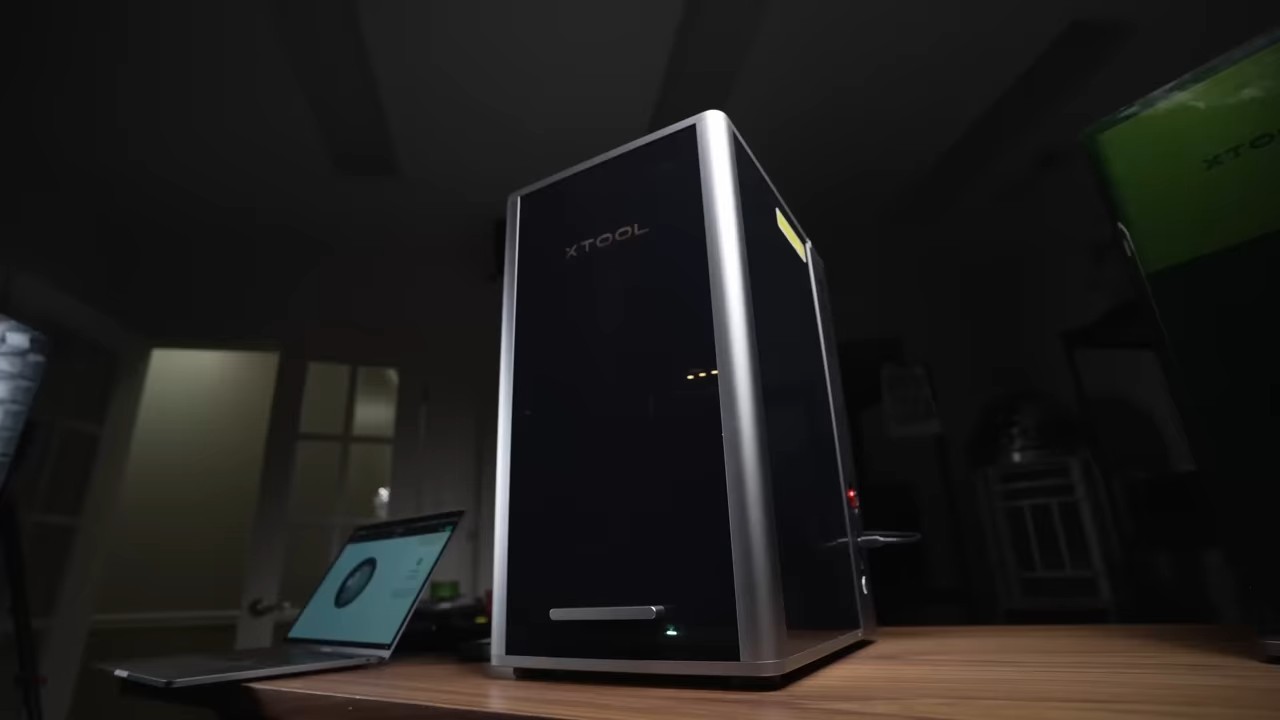
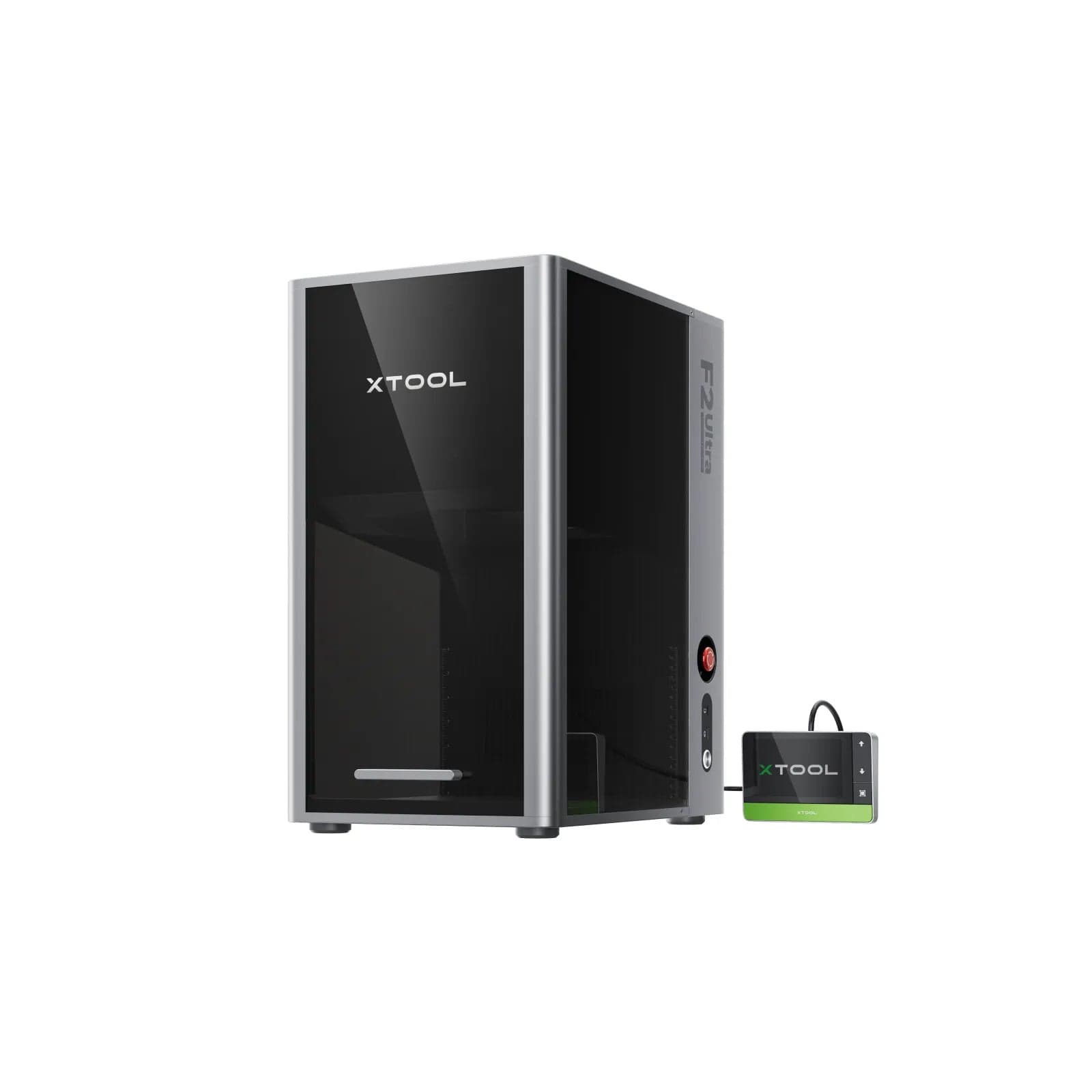
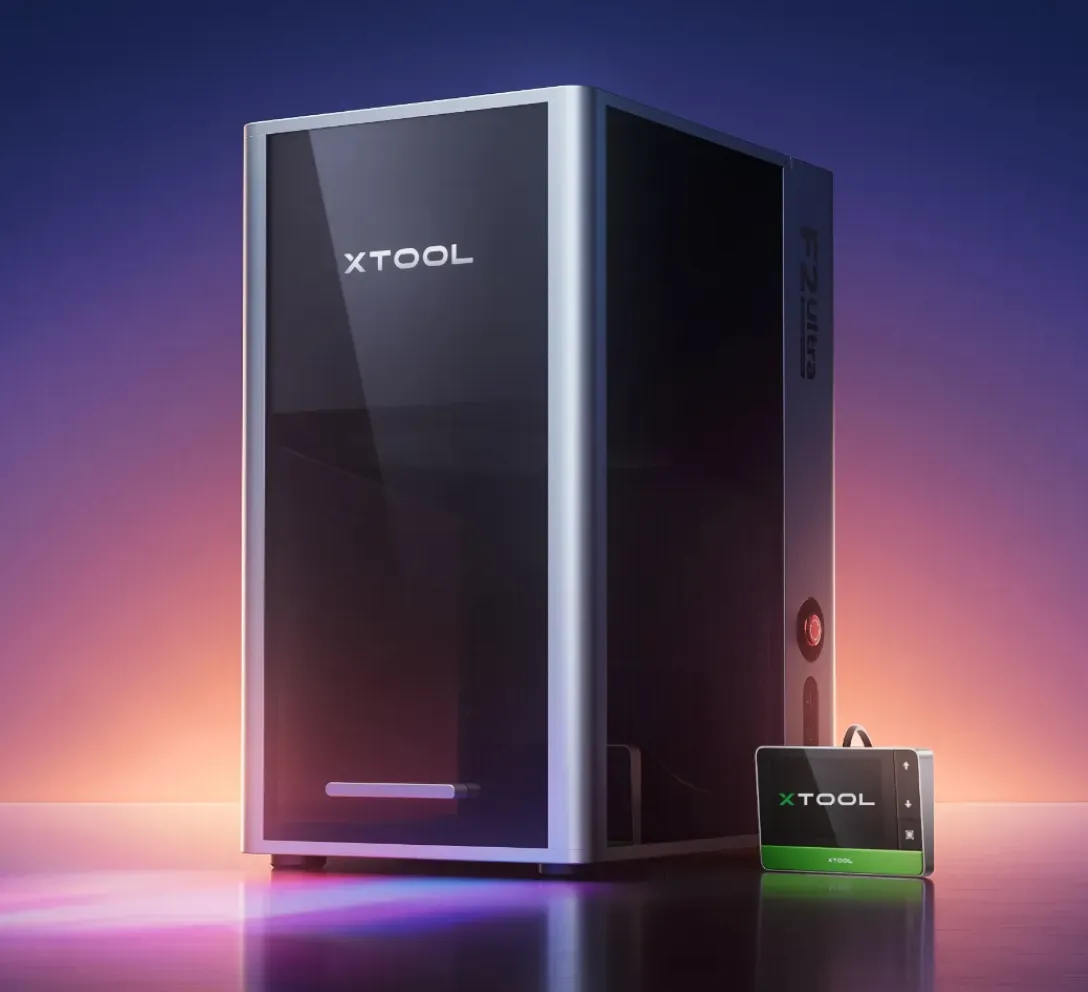
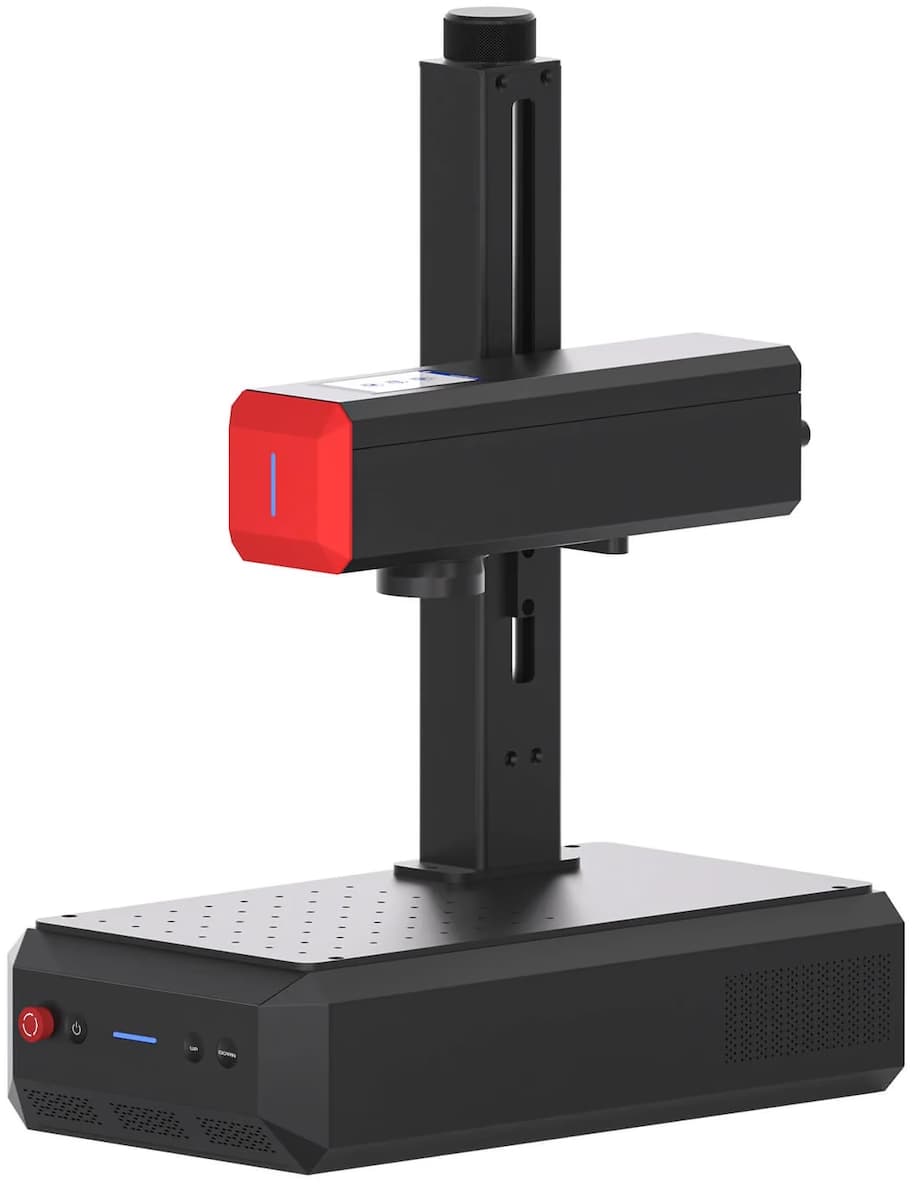
The xTool F2 Ultra is a 60W MOPA fiber laser that delivers 3x the power of the F1 Ultra. After extensive testing with stainless steel, aluminum, brass, and anodized materials, I can tell you this: it's fast, the dual camera system is noticeably better, and the MOPA capabilities actually matter for aluminum marking. But don't buy it for color engraving—that's marketing hype that doesn't hold up in real-world use.
Bottom line up front: Get the single laser version at $4,999 and put the $1,500 you'd save toward a dedicated diode laser with air assist. You'll have a more versatile two-machine setup than trying to make the dual version do everything.
I put the F2 Ultra through the same testing process I use for all fiber lasers: parameter test grids on stainless steel and aluminum, embossing tests on brass coins, comparison runs against the F1 Ultra, and real production work to see where it actually saves time.
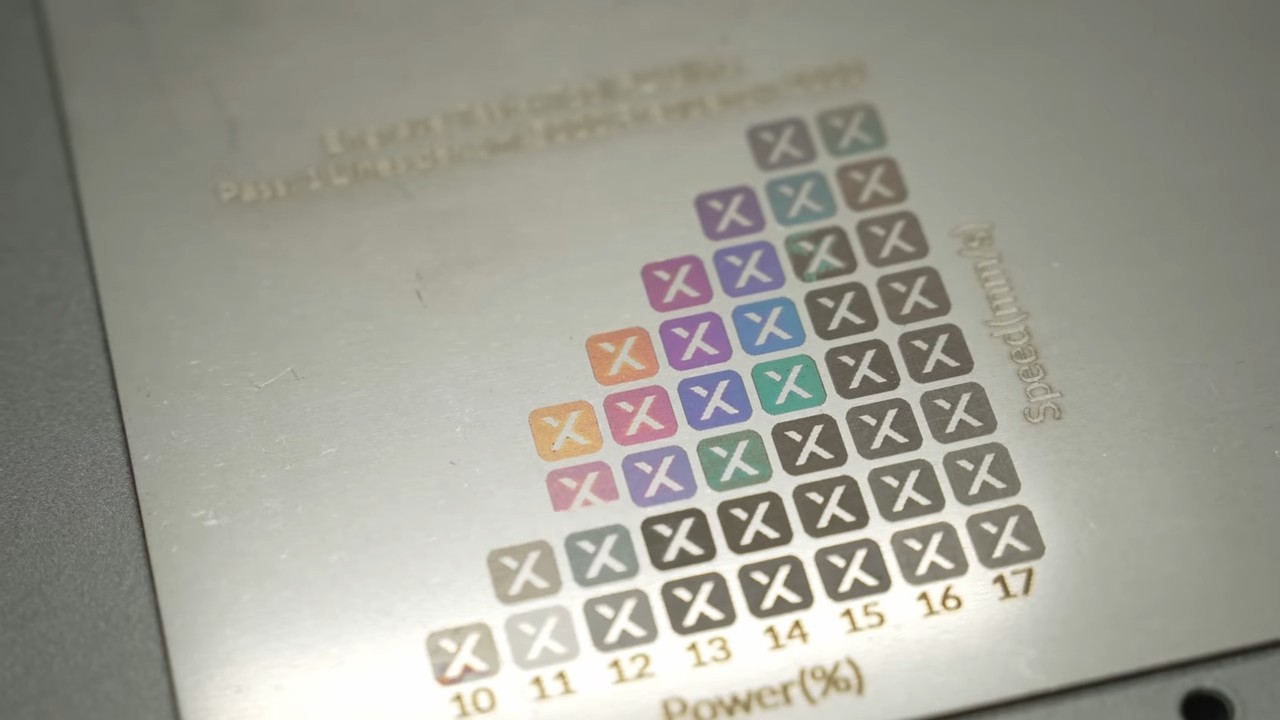
The testing revealed some surprises. The camera accuracy improvement over the F1 Ultra is immediately noticeable when centering on small objects. The 60W power makes embossing dramatically faster—what took 30-60 minutes on the F1 Ultra gets done much quicker here. And the removable fan cover is a genuine improvement when you're cleaning up brass powder after embossing jobs.
But here's what disappointed me: the color engraving that looks so impressive in xTool's marketing is painfully slow at only 900mm/s (versus the 15,000mm/s max speed), and the colors are extremely angle-dependent. More on that below.
MOPA stands for Master Oscillator Power Amplifier. Unlike standard fiber lasers where you only control speed and power, MOPA gives you adjustable frequency range and pulse width. This isn't just a spec sheet difference—it enables markings that standard fiber lasers physically cannot do.
What MOPA actually lets you do:
Let's talk about the elephant in the room. You'll see tons of marketing about "full color metal engraving" with MOPA lasers. I tested it extensively. Here's the truth:
Yes, you can achieve greens, blues, purples, yellows, and reds. The test grids look impressive. But the process runs at only 900mm/s with high line density, takes hours for full color images, and the colors only appear at specific viewing angles with proper lighting. If you need color on metal, UV printing (like the EufyMake EV1) puts actual color ink on the surface faster and with consistent results at any angle.
Don't buy a MOPA laser for color engraving. The real value is in the black/white aluminum marking capability.
This is where the MOPA capabilities actually deliver. Standard fiber lasers struggle with bare aluminum—you can mark anodized aluminum by removing the coating, but marking bare aluminum is extremely difficult. The F2 Ultra handles it.
I haven't completely dialed in all the aluminum settings yet, but I achieved good dark and light markings that simply aren't possible with traditional fiber. If your work involves aluminum marking, this capability alone might justify the MOPA premium.

The dual stereo camera system isn't just a spec bump. In practice, centering artwork on small objects is noticeably more accurate than the F1 Ultra. The stereo vision enables autofocus via distance detection, and it works reliably. For batch engraving workflows where you place multiple items in the work area and let AI detect edges and auto-place artwork, the improved camera accuracy makes a real difference.
You get two focusing methods. The dual laser dot system uses a red pointer and the blue 40W diode at low power—raise or lower the bed until the dots overlap and you're in focus. It's intuitive and fast for manual focusing.
The stereo autofocus uses the dual cameras to measure distance and automatically adjust bed height. In my testing, it worked reliably and saves time on repetitive jobs.
Here's the biggest limitation: no air assist, which means cutting is impractical. But this isn't a flaw in the F2 Ultra—it's inherent to all galvanometer fiber lasers. The laser head is stationary, and mirrors redirect the beam from a fixed point about 10-12 inches away. There's no moving head to attach an air nozzle to, and you can't have a moving nozzle follow the mirror.
The only fiber lasers with air assist combine galvo and gantry systems (like the upcoming xLaser), sacrificing some speed to gain cutting capability.
This is why I recommend the single laser version. You're paying $1,500 extra for a 40W diode that has a thicker laser spot (less detail than 20W) and can't cut well without air assist. Put that money toward a dedicated diode laser with proper air assist instead.
Brass coin embossing involves slicing a height map into 50-300 layers and "blasting away" each layer with the laser (think reverse 3D printing). On the F1 Ultra's 20W fiber, this takes 30-60 minutes and creates a lot of brass powder that gets everywhere. The 60W power on the F2 Ultra makes these jobs significantly faster. The removable fan cover is also a huge improvement for cleaning up afterward—you can pull it out from the front instead of disassembling the machine.
Let's break down the actual cost comparison:
| Configuration | Price | What You Get |
|---|---|---|
| F1 Ultra | $3,599 | 20W fiber + 20W diode |
| F2 Ultra (Single) | $4,999 | 60W MOPA fiber only |
| F2 Ultra (Dual) | $6,499 | 60W MOPA fiber + 40W diode |
My recommendation: Get the F2 Ultra single laser ($4,999) and add a separate diode laser:
What you gain with separate machines:
This often matters more than spec differences. Almost all competitor 60W MOPA lasers (CloudRay, Commarker, Monport) use LightBurn. The F2 Ultra uses xTool Creative Space.
LightBurn: Extremely powerful and customizable, access to every possible setting, steeper learning curve, one-time purchase (~$60).
xTool Creative Space: Much easier to use, turn on and start engraving quickly, intuitive interface, excellent batch engraving workflow, but less powerful and fewer advanced controls.
Choose based on which workflow you prefer, not minor spec differences between 60W MOPA lasers.
The F2 Ultra makes maintenance easier than the F1 Ultra. The fan cover is removable from the front—critical when you're cleaning brass powder after embossing jobs. You can also extract the fan from the back to clean or replace it without major disassembly.
Get the F2 Ultra if you:
Skip the F2 Ultra if you:
Most 60W MOPA lasers have similar specs—comparable power output, ~220x220mm work areas, similar speeds, and decent build quality. The real differences come down to software ecosystem and specific features.
| Machine | Price | Software | Key Difference |
|---|---|---|---|
| xTool F2 Ultra | $4,999 | Creative Space | Dual stereo cameras, easiest software |
| CloudRay 60W MOPA | ~$5,000 | LightBurn | Split design, more customization |
| Commarker B6 60W | ~$4,600 | LightBurn | Lower price, standard features |
| Monport 60W MOPA | ~$4,800 | LightBurn | Various designs available |
Choose based on which software workflow you prefer and which ecosystem you're already in. If you have other xTool machines and like Creative Space, the F2 Ultra fits perfectly. If you want maximum control and are comfortable with LightBurn's learning curve, the competitors are solid options.
The xTool F2 Ultra delivers on its core promises: 3x the power translates to real-world speed improvements, the dual camera system is noticeably better for positioning accuracy, and the MOPA capabilities are genuinely useful for aluminum marking. The 60W makes embossing significantly faster, and the removable fan cover is a welcome improvement for maintenance.
But skip the dual laser version. The 40W diode loses detail (thicker spot than 20W) and can't cut well without air assist, yet you're paying $1,500 extra for it. Get the single laser version at $4,999 and invest that $1,500 in a proper diode laser with air assist. You'll have a much more versatile two-machine setup.
Rating: 4.5/5 - Highly recommended with the single laser configuration. For professional metal marking, aluminum work, and high-volume production, it's an excellent choice. For hobbyists or users who don't need the extra power, the F1 Ultra at $3,599 remains a fantastic option.
| Feature |  xTool F2 Ultra Reviewing |  xTool F1 Ultra | 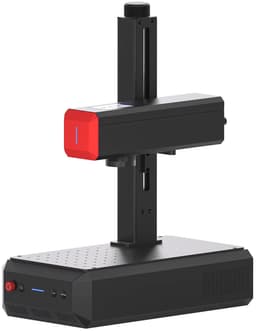 ComMarker B6 MOPA 20W |
|---|---|---|---|
| Price | $4,299 | $2,599 | $2,599 |
| Fiber Power | 60W | 20W | 20W |
| MOPA | Yes | No | Yes |
| Max Speed | 15,000mm/s | 10,000 mm/s | 15,000 mm/s |
| Work Area | 220×220mm | 220x200 mm | 110x110 mm |
| Software | Creative Space | Creative Space | LightBurn |
| Configuration | Price | Speed |
|---|---|---|
| Single Laser | $4,299 | — |
| Dual LaserSelected | $4,299 | 15,000mm/s |
$80 Off purchases of $1000 or more
Legacy creator code (kept for sales attribution, not shown on site)
Expires: Jun 22, 2022
Legacy creator code (kept for sales attribution, not shown on site)
Expires: Nov 13, 2022
Not Installed Yet
Not Installed Yet
Flexibility and Speed
Haven't had a frustration yet
Steel engraving and 60 Watt MOPA power
There is still no comprehensive library covering all subjects, such as deep black on stainless steel. You have to find the settings yourself, even with the help of the Xtool community and Xtool service.
speed and ease of use
they do not have instructions for each material you purchase
we bought the F1 then 30 days later they released the F2, which was more of the machine i needed and only learned more about fibers and MOPAS in that short term
lack of information compared to lightburn and those machines to obtain a specific setting or outcome with a material
These reviews are from other xtool machines and may not reflect this specific model's features
Ease of use
Difficulty of cleaning the first mirror and the lens
Ease of use
Size of work area
Ease of use and dependability.
Nothing
Have more questions? Leave a comment on our video review or check out our complete laser buying guide.
Current
$4,299
Lowest
$4,299
Jun 30
Highest
$6,499
Tracked
443 days
407 checks
All-Time Low Price
This is the lowest price we've tracked in 443 days. This is an exceptional deal.
Price data updated daily • Last checked Sep 24